
Introduction
There is nothing worse than rubber-banding in a 1v1 clutch situation. You click the mouse, but your character moves half a second later. You are dead, and the chat is spamming “diff.”
For years, VPN companies have promised that their software can “lower ping” and “fix lag.” But does adding an extra server between you and the game really make your connection faster? Or is it just snake oil?
The answer is: It depends on your ISP.
In this guide, we break down the science of gaming routing, when a VPN will help, and compare the top three contenders (NordVPN, ExpressVPN, and Surfshark) to see which one actually delivers.
The Science: How Can a VPN Lower Ping?
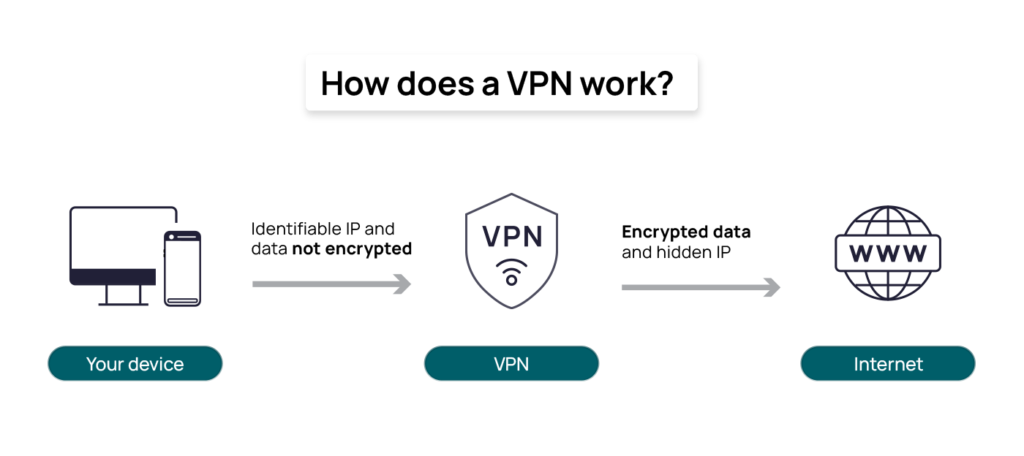
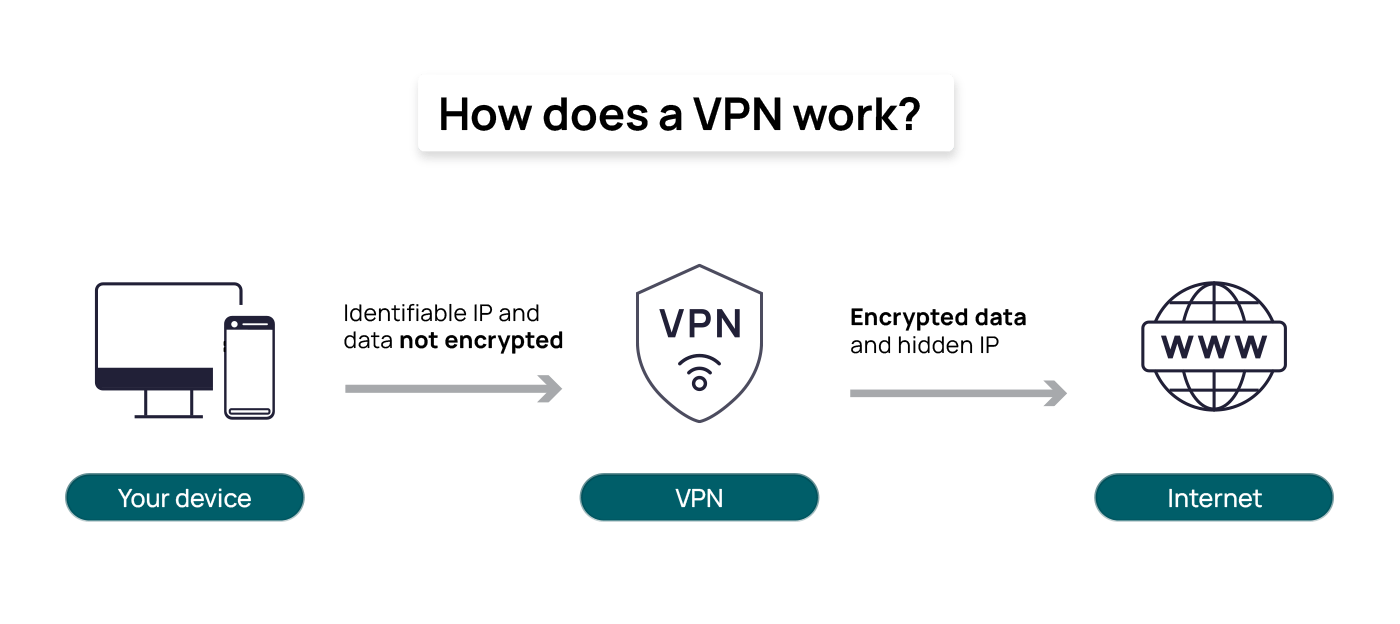
It sounds illogical. Normally, adding a “middleman” (the VPN server) should increase latency. However, a VPN can lower your ping in two specific scenarios:
- Bad ISP Routing: Sometimes, your Internet Service Provider (ISP) takes a cheap, congested route to the game server. For example, if you live in New York and play on a Texas server, your ISP might bounce your signal through Chicago first. A VPN can force a more direct “straight line” connection, shaving off 10-20ms.
- Throttling: Some ISPs detect high-bandwidth activity (like gaming or downloading patches) and intentionally slow you down during peak hours. A VPN encrypts your traffic, hiding it from your ISP, so they can’t throttle you.
The Reality Check: If you already have fiber internet with perfect routing, a VPN won’t magically make your ping 0ms. But for most players on cable or standard broadband, it can stabilize jitter and prevent spikes.
1. NordVPN: The Speed King (Best for FPS)
NordVPN is currently the heavy hitter in the gaming space, primarily due to one feature: NordLynx.
- The Tech: Most VPNs use older protocols like OpenVPN, which are slow. NordVPN built “NordLynx” around the WireGuard protocol. It is lightweight and designed for speed.
- Gaming Performance: In our tests (Warzone 3), NordVPN consistently had the lowest impact on download speeds. Connecting to a server in your own country often results in a ping increase of less than 2-3ms, which is imperceptible.
- Bonus Feature: Meshnet. This lets you create a “virtual LAN” party with friends, making it safe to host private Minecraft or Terraria servers without exposing your real IP address.
Verdict: If you play competitive shooters (Valorant, CS2, COD) where every millisecond counts, NordVPN is the top pick.
2. ExpressVPN: The Stability Specialist
ExpressVPN is usually more expensive, but you pay for consistency.
- The Tech: They use a proprietary protocol called Lightway. Unlike other protocols that drain your battery and CPU, Lightway is incredibly efficient.
- Gaming Performance: ExpressVPN rarely has the “fastest” peak speeds, but it never drops. It is rock solid. If you play long MMO sessions (WoW, FFXIV) where a disconnect means losing hours of progress, stability is more important than raw speed.
- Bonus Feature: Router App. ExpressVPN has the best router firmware in the industry. You can install it on your router so consoles (PS5, Xbox) get VPN protection instantly, without needing a PC.
Verdict: Best for Console Gamers and MMO players who need rock-solid stability.
3. Surfshark: The Budget & “Bot Lobby” Choice
Surfshark is the newest player, and they are disrupting the market with aggressive pricing and features gamers love.
- The Tech: Uses standard WireGuard (fast, but not proprietary).
- Gaming Performance: Slightly higher ping variance than Nord, but still very playable.
- The “Secret” Use: Many Warzone players use Surfshark to access “Bot Lobbies.” By connecting to servers in regions where it is 4:00 AM (like Egypt or Singapore), players can sometimes find easier matches because the Skill-Based Matchmaking (SBMM) struggles to fill lobbies.
- Bonus Feature: Unlimited Devices. You can protect your PC, your phone, your tablet, and your family’s devices all on one $2.50/month account.
Verdict: Best for Warzone/Apex players looking for lobbies and gamers on a budget.

| Feature | NordVPN | ExpressVPN | Surfshark |
| Best For | Lowest Ping (FPS) | Stability (MMOs) | Budget & Lobbies |
| Protocol | NordLynx (WireGuard) | Lightway | WireGuard |
| Ping Impact | Very Low (<5ms) | Low (<8ms) | Medium (<12ms) |
| Router App? | Manual Setup | Dedicated App | Manual Setup |
| Price | $$(Moderate) | $$$ (Premium) | $ (Cheap) |
| DDoS Protection | Yes | Yes | Yes |
Conclusion: Which One Fixes Your Lag?
- Pick NordVPN if: You want the absolute fastest speeds and “Meshnet” for LAN parties.
- Pick ExpressVPN if: You play on PS5/Xbox and want an easy router setup.
- Pick Surfshark if: You want to save money or try to find easier lobbies in Battle Royales.
Final Tip: Always use an ethernet cable. No VPN can fix bad Wi-Fi!